A workspace’s own AI spends AI credit every time it runs a scheduled job. The Schedule page shows what each job cost, in dollars, read from the same record GBrain keeps of every AI call it bills. The pictures on this page are from an example workspace, Harbor & Pine.
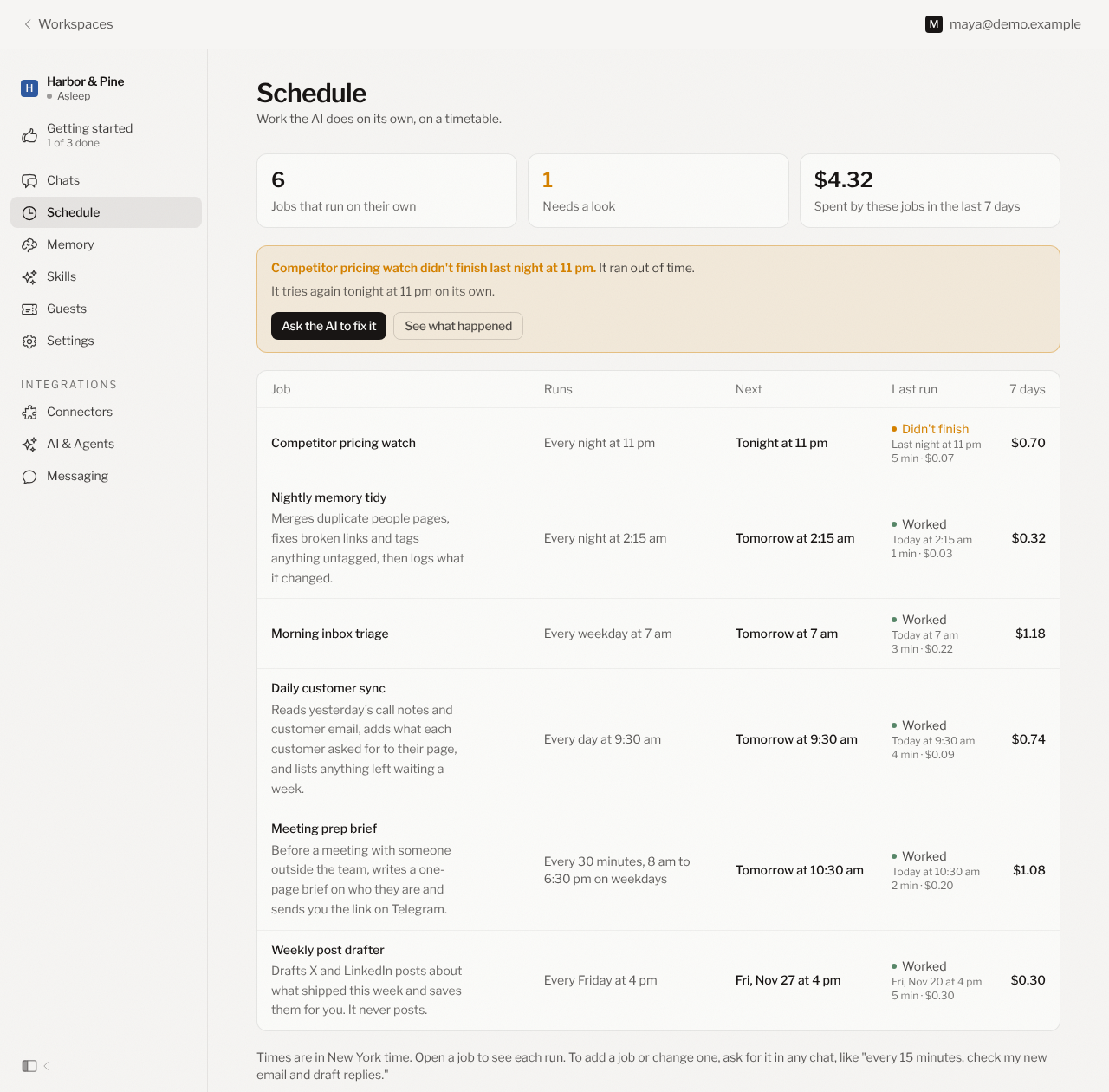
Each job shows its last run and its week
The Last run column says whether the last run worked, when it ran, how long it took and what it cost:
Worked. Today at 9:30 am. 4 min · $0.09
A run that cost three or more times the job’s usual run adds “About 4x a usual run.” The 7 days column is what the job cost over the last 7 days, and the tile at the top adds up every job. A job whose runs were never priced says “Not recorded”, which is not the same as $0.
The last run opens the job’s runs. On a phone, each job ends in See runs.
A job’s page lists every run
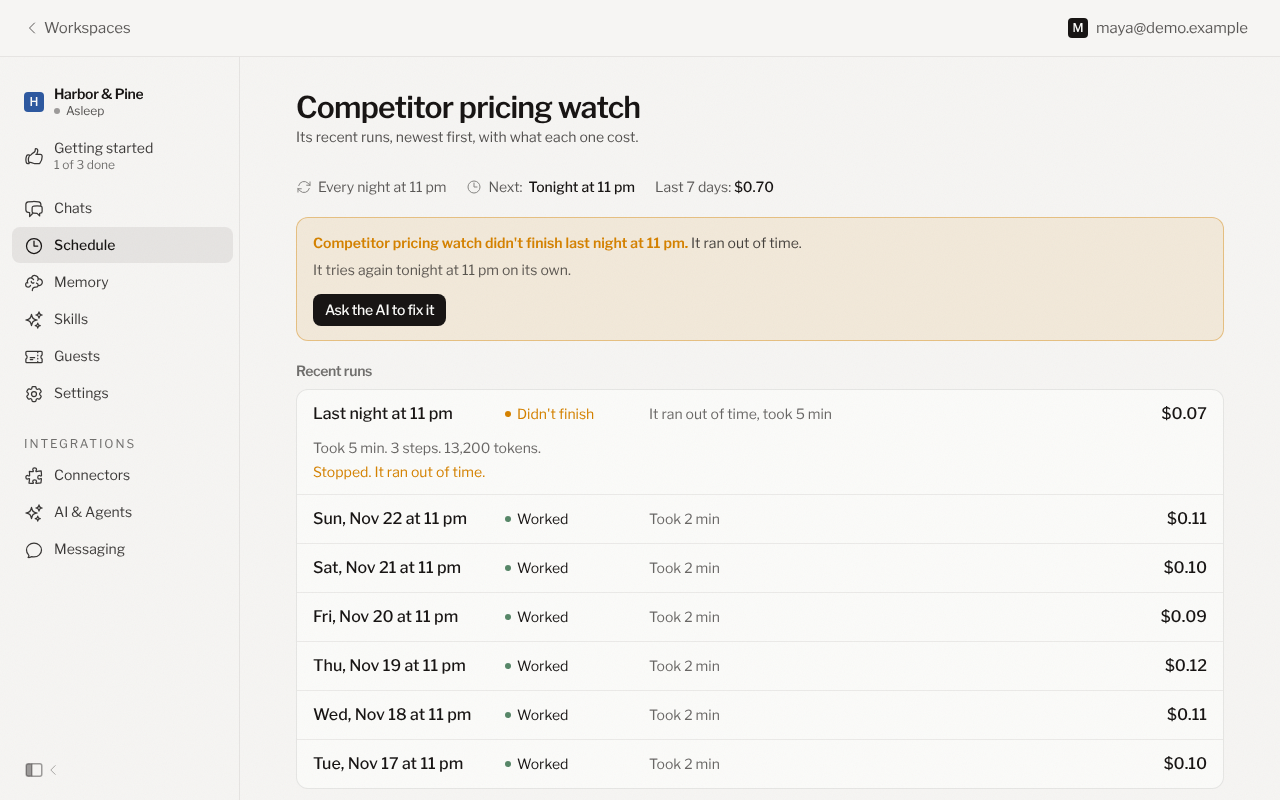
The job’s page lists up to its last 20 runs, newest first, each with its cost on the right. Open a run to see the rest of what it did.
What the numbers mean
- The cost, on the right, is what the AI’s work in that run cost, in dollars. A run that cost less than a cent says “Under 1¢”.
- Took 4 min is how long the run lasted, from start to finish.
- 14 steps is how many times the AI was called during the run. A run that reads more, or uses more connectors, usually takes more steps.
- Tokens are the pieces of words the AI read and wrote, added up over every step. Each step rereads the run so far, and a reread is often charged at a much lower rate, so a run can read a million tokens and still cost a dollar or two.
- About 4x what a usual run of this job costs marks a run that cost three or more times the job’s usual run. Usual is the middle cost of the job’s other recent priced runs, so a job needs at least two others before one can be marked.
- Step 6 of 14 cost the most names the step that cost at least twice an average step, and what the AI did next, when it did something.
- Stopped is a run that didn’t finish: why it stopped and, when GBrain can tell, the last thing it did, such as “It ran out of time. The last thing it did: Search the web.” Find out why a scheduled job went wrong says what to try for each reason.
Activity links to the run
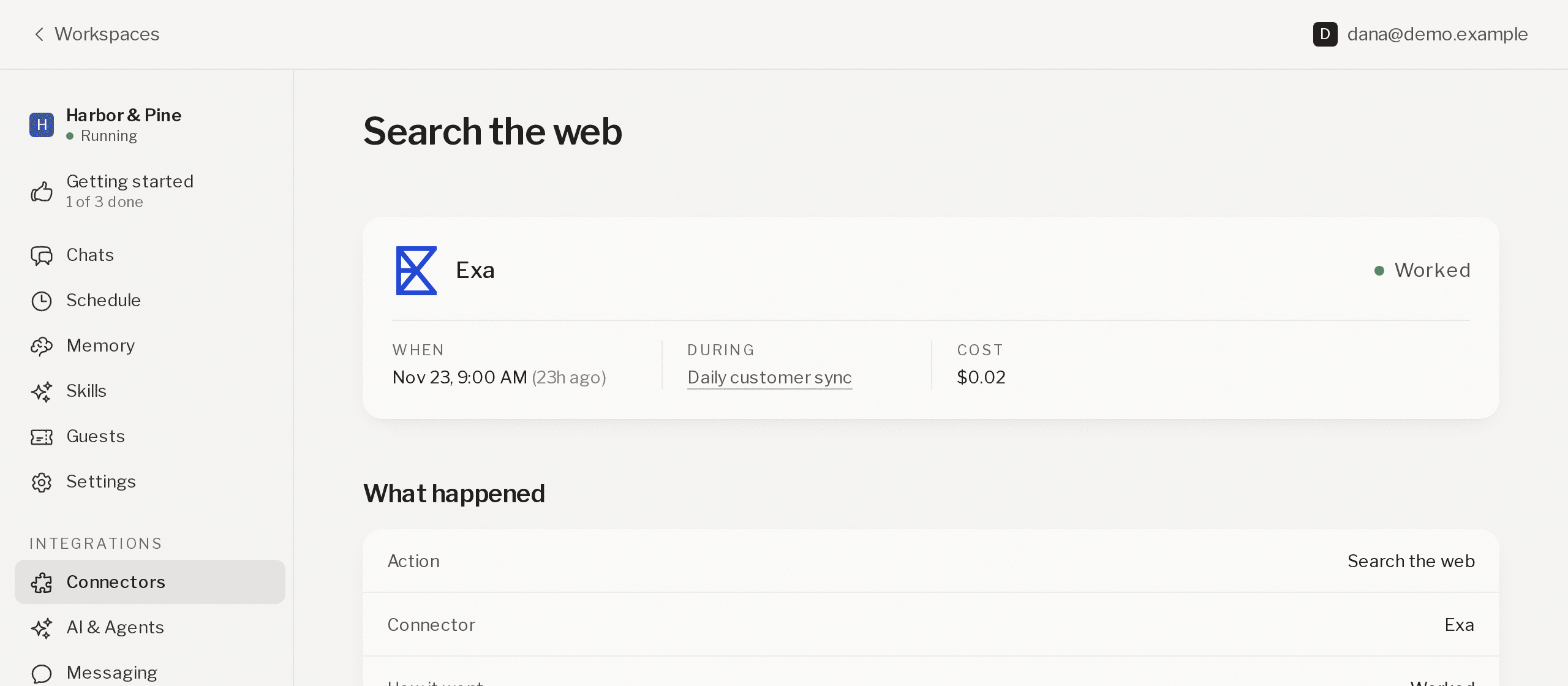
When the workspace’s AI uses a connector while a job is running, the action’s record in the workspace’s Activity names that job. During links to the job’s runs. It shows only inside the workspace. Activity lists every action and what each paid lookup cost.
What it does not show yet
A run whose AI calls were not matched to its job says “Not recorded”. That is every run from before November 24, 2026, and the runs of a job that shares the workspace’s chat instead of running on its own, whose cost is counted with your chats. The hourly check-in and the jobs GBrain runs for the workspace (under Upkeep GBrain does for you) are not priced here. To spend less on a job, see Run a workspace for less.